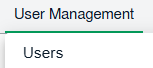
How do I access the Internal Managed By page? 1. Login to your account using the username and password provided. 2. Hover over the tab for User management and Click on Users tab. 3. Click on MANAGE GROUP RIGHTS button. It will open new window. 4. Select the user group row from grid. 5. Click on MANAGED BY button. It will open new window.