
How do I add/save Engine Utilisation values?
|
How do I add/save Engine Utilisation values usnig Tail? |
|
| 1. Login to your account using the username and password provided. | 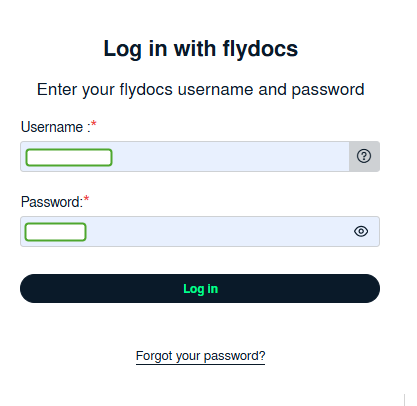 |
| 2. Hover over the Fleet Management tab then Hover over the Engine Centre tab and Click on Engine Utilisation tab. It will open Engine Utilisation page in a new window. | 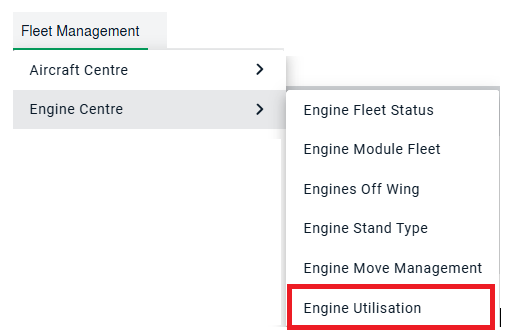 |
| 3. Select the Client from the list. It will load data into grid. |  |
| 4. Go to Update an Individual Engine list and Select Engine from the list. It will load data into grid. |  |
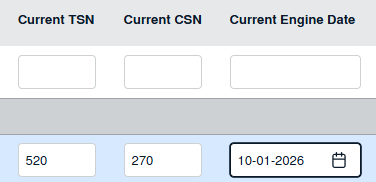
| 5. Go to grid and Select Engine for which you want to add values and Enter values for Current TSN, Current CSN and Current Engine Date. Note : User can add the Zero in Utilization field for the assets as well. The format of "Current TSN� to support utilization as �0:00� and �Current CSN� to support utilization as �0". |
 |
| 6. Click on SAVE button to save your values. |  |
| 7. It will show you popup message. |  |
|
How do I add/save Engine Utilisation values using Fleet Type? |
|
| 1. Login to your account using the username and password provided. | |
| 2. Hover over the Fleet Management tab then Hover over the Engine Centre tab and Click on Engine Utilisation tab. It will open Engine Utilisation page in a new window. | |
| 3. Select the Client from the list. It will load data into grid. | |
| 4. Go to Update an Engine Fleet list and Select Engine Fleet Type from the list. It will load all engines for that Fleet Type into grid. |  |
| 5. Go to grid and Select Engine for which you want to add values and Enter values for Current TSN, Current CSN and Current Engine Date. Note : User can add the Zero in Utilization field for the assets as well. The format of "Current TSN� to support utilization as �0:00� and �Current CSN� to support utilization as �0". |
|
| 6.Click on SAVE button to save your values. | |
| 7. It will show you popup message. | |