
How do I Attach/Move documents to Status Entry from Box View?
| 1.Login to your account using the username and password provided. | |
| 2.Hover over the Search tab and Click on Box View Tab. |  |
| 3.Enter Keyword that you want to search. |  |
| 4.Select Client, Search Type and Other relevant details. | 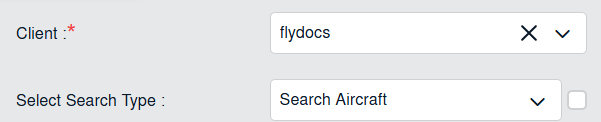 |
| 5.Once all the details are selected, it will show you multiple results in bottom section. | |
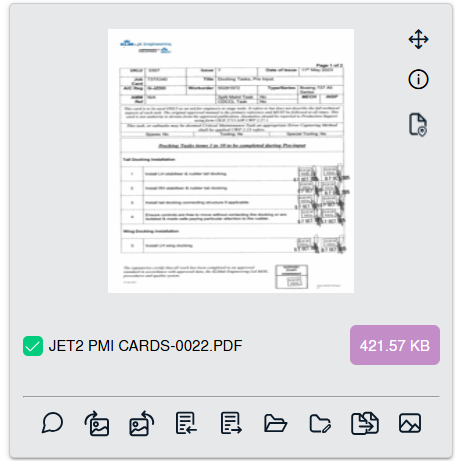
| 6.Select documents that you want to attach/move. Note : 1. You can use Shift Key Functionality for selecting multiple document. 2. You can select multiple Documents from different pages at a time. |
 |
| 7.Go to Attach/Move To options. It will show you other options. select required details. | 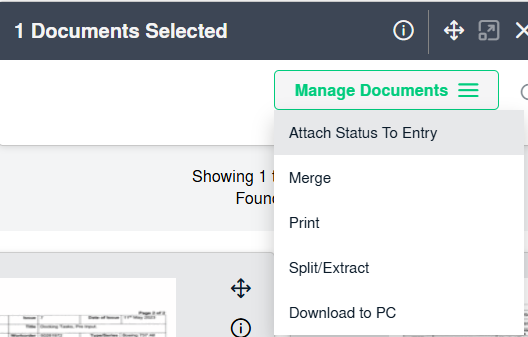 |
| 8.Click on ATTACH TO STATUS ENTRY button. It will open new window. |  |
| 9.Select Row where you want to Attach document. | 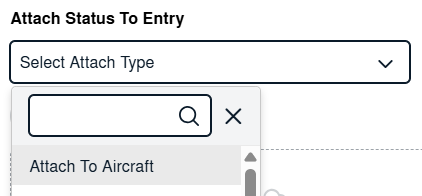 |
| 10.Click on ATTACH button. It will attach document to selected row. |