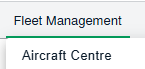
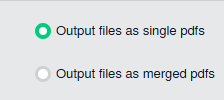
How do I compile files of delivery bible in the Aircraft centre. 1. Login to your account using the username and password provided. 2. Hover over the Fleet Management tab and Click on the Aircraft centre tab. 3. Scroll down and select record you wish to view. 4. Hover over Current Status drop down. 5. Click on the Propeller Delivery Bible/ Propeller Delivery Binder/ Propeller Records Library/ Propeller Tech Link. It will open a new window. 6. Click on the COMPILE FILES button. It will open new window. 7. Select the relevant fields 8. Click on SUBMIT button.