
How do I Download Status List from different Centres under Fleet Management?
| 1. Login to your account using the username and password provided. | |
| 2. Hover over the Fleet Management tab and Click on the desired Centre's Tab Eg. Aircraft Centre, Engine Centre, Landing Gear Centre, APU Centre, Thrust Reverser Centre, Propeller Centre. | 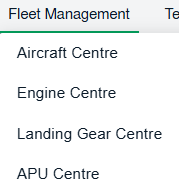 |
| 3. Scroll down and select record from the grid. |  |
| 4. Click on the COMPILE FILES button. It will open new window. |  |
| 5. select the relevant fields | |
| 6. Select all Categories or Select individual Categories by ticking the Tick box. | 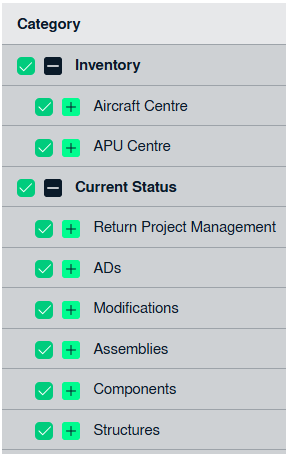 |
| 7. Click on SUBMIT button. It will show you pop up message. |  |
| 8. Click on the DOWNLOAD STATUS LIST button. |  |
| 9. File will get downloaded in to PC |