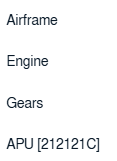
How do I export all delivery bible categories in single excel? 1. Login to your account using the username and password provided. 2. Hover over the Fleet Management tab and Click on Aircraft Centre Tab. 3. Scroll down and select record you wish to view. 4. Hover over Current Status dropdown. 5. Hover over the Delivery Bible/ Delivery Binder/Records Library/Tech Link. 6. Click on any tab that you want to open. It will open new window. 7. Hover over the Export icon and Click on the Export to XL[Combined View]. 8. File Will get downloaded to your PC