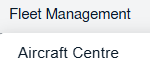
How do I export the LDND Status? 1. Login to your account using the username and password provided. 2. Hover over the Fleet Management tab and Click on Propeller Centre Tab. 3. Select any row from grid. The row will become highlighted once selected. 4. Hover over current status. 5. Hover Over Return Project Management and Click on LDND from the drop down. It will open new window of LDND. 6. Go to right side of page and Hover on export icon and Click on Export options shown in dropdown. 7. Click on the Export to XL to save the report