
How do I manage Categories in Delivery Bible/Delivery Binder/Records Library/TechLink?
| How do I add a Category in Delivery Bible/Delivery Binder/Records Library/TechLink? | |
| 1. Login to your account using the username and password provided. | 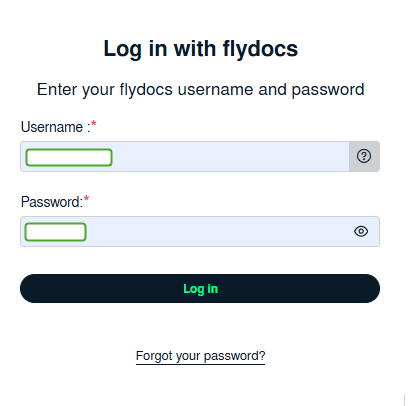 |
| 2. Hover over the Fleet Management tab and Click on �the Aircraft Centre Tab. | 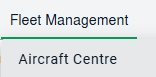 |
| 3.Scroll down and select the record you wish to view. |  |
| 4. Hover over the Current Status dropdown. | 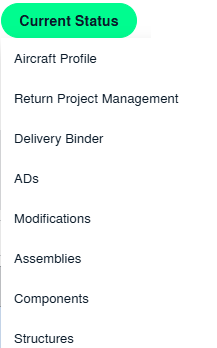 |
| 5. Hover over the Delivery Bible/Delivery Binder/Records Library/Tech Link. | 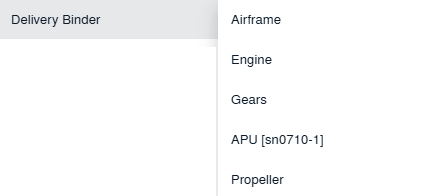 |
| 6. Click on any tab that you want to open. It will open a new window. | |
| 7. Click on the CATEGORY MANAGEMENT button. A new window will open. |  |
| 8. Click on ADD to add the category. |  |
| 9. Fill out the required fields i.e. Category Name, Description, etc. |  |
| 10. You can hide Third Party users' access to a particular category and can set the category as Read Only. |
|
| 11. You can manage the category's access with any user's group. If selected as "YES", then the Users groups selecting field will get enabled. |
 |
| 12. Click on SAVE. |  |


| How do I edit a category in Delivery Bible/Delivery Binder/Records Library/TechLink? | |
| 1. Login to your account using the username and password provided. | |
| 2. Hover over the Fleet Management tab and Click on the Aircraft Centre Tab. | |
| 3. Scroll down and select the record you wish to view. | |
| 4. Hover over the Current Status dropdown. | |
| 5. Hover over the Delivery Bible/Delivery Binder/Records Library/Tech Link. | |
| 6. Click on any tab that you want to open. It will open a new window. | |
| 7. Click on the CATEGORY MANAGEMENT button. A new window will open. | |
| 8. Select the category which you want to update. |  |
| 9. Click on EDIT to update the category. |  |
| 10. Update the required fields i.e. Category Name, Description, Hide Third Party access, Read Only, Manage group access, etc. |  |
| 11. Click on SAVE. |  |
| How do I reorder categories in Delivery Bible/Delivery Binder/Records Library/TechLink? | |
| 1. Login to your account using the username and password provided. | |
| 2. Hover over the Fleet Management tab and Click on the Aircraft Centre Tab. | |
| 3. Scroll down and select the record you wish to view. | |
| 4. Hover over the Current Status dropdown. | |
| 5. Hover over the Delivery Bible/Delivery Binder/Records Library/Tech Link. | |
| 6. Click on any tab that you want to open. It will open a new window. | |
| 7. Click on the CATEGORY MANAGEMENT button. A new window will open. | |
| 8. Reorder Categories using Move Icon in front of added/edited Categories as per the requirement. Note; Once done, it will get updated on the respective section. |
 |