
How do I manage Internal Documentation Notes from Inbox?
| How do I view Internal Documentation Notes from Inbox? | |
| 1. Login to your account using the username and password provided. | 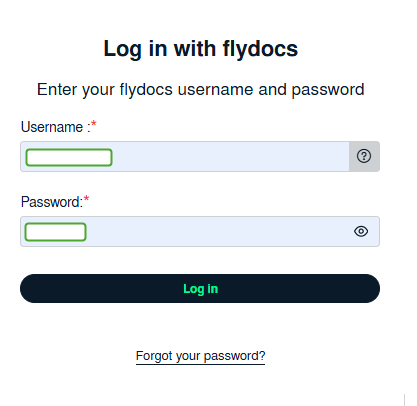 |
| 2. Click on the Home tab. |  |
| 3. Go to Internal Documentation Notes section. Click on the text 'View'. It will open Internal Documentation Notes in a new window. | 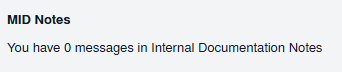 |
| 4. Select the asset from the grid. |  |
| 5. Click on View icon. It will open new window. |  |
| 6. It will open new window. Go to Notes section where you can view notes assigned to you. | 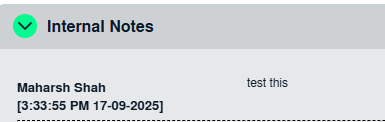 |
| How do I reply Internal Documentation Notes from Inbox? | |
| 1. Login to your account using the username and password provided. | |
| 2. Click on the Home tab. | |
| 3. Go to Internal Documentation Notes section. Click on the text 'View'. It will open Internal Documentation Notes in a new window. | |
| 4. Select the asset from the grid. | |
| 5. Click on View icon. It will open new window. | |
| 6. Navigate to the bottom of the page. Review the received note and enter your comment. | 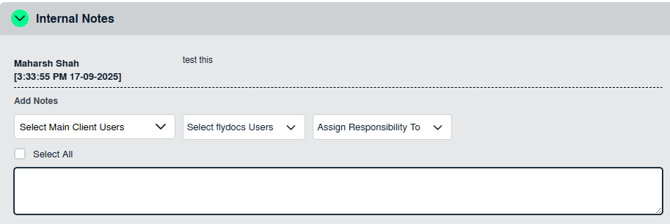 |
| 7. Click on SAVE INTERNAL NOTES button in the notes area to reply. |  |
| How do I remove Internal Documentation Notes from Inbox? |
|
| 1. Login to your account using the username and password provided. | |
| 2. Click on the Home tab. | |
| 3. Go to Internal Documentation Notes section. Click on the text 'View'. It will open Internal Documentation Notes in a new window. | |
| 4. Select the asset from the grid. | 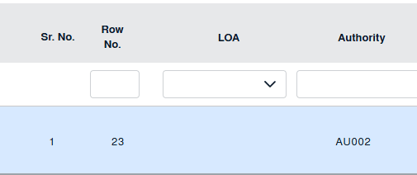 |
| 5. It will open all received notes for this area in a new window. To remove a note, select the check box under the 'Viewed' column. | 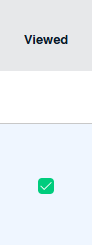 |
| 6. Click on the SAVE button to remove Internal Documentation Notes. |  |
| How do I view Audit trail? |
|
| 1. Login to your account using the username and password provided. | |
| 2. Click on the Home tab. | |
| 3. Go to the Internal Documentation Notes section. Click on the text 'View'. It will open Internal Documentation Notes in a new window. | 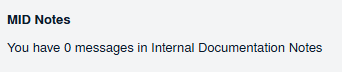 |
| 4. Click on the AUDIT TRAIL button. It will open Audit Trail in a new window. |  |
| 5. Select filter types to filter Audit Trail Report. Like filter by keyword, filter by operations, filter by date etc. |  |
| 6. Click on FILTER button to filter Audit Trail report. It will show filtered data into grid. |  |
| How do I export Audit trail? | |
| 1. Login to your account using the username and password provided. | |
| 2. Click on the Home tab. | |
| 3. Go to Internal Documentation Notes section. Click on the text 'View'. It will open Internal Documentation Notes in a new window. | |
| 4. Click on AUDIT TRAIL button. It will open Audit Trail in a new window. | |
| 5. Select filter types to filter Audit Trail Report. Like filter by keyword, filter by operations, filter by date etc. |  |
| 6. Click on FILTER button to filter Audit Trail report. It will show filtered data into grid. | |
| 7. Click on the EXPORT button. |  |
| How do I clear all messages of Internal Documentation Notes from Inbox? | |
| 1. Login to your account using the username and password provided. | |
| 2. Click on the Home tab. | |
| 3. Go to Internal Documentation Notes section. Click on the text 'View'. It will open Internal Documentation Notes in a new window. | |
| 4. Click on the CLEAR ALL MESSAGES button. |  |
| 5. It will show you Popup message. Click on the OK button. |  |