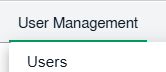
How do I manage permission of Two Factor Authentication to single user. 1. Login to your account using the username and password provided. 2. Hover Over the User Managementtab and Click on the Users tab 3. Select the user from the grid for which you want to give permission of Two Factor Authentication. 4. Click on the EDIT button from top right corner. 5. Navigate to Two Factor Authentication and tick the Yes option. 6. Click on the SAVE button. 7. Click on the CLEAR PIN/SECRET button.Note: This option will become enable to you if you have already set Pin/Secret.