
How do I manage Tab Report?
|
How do I view Tab Report? |
|
| 1. Login to your account using the username and password provided. | 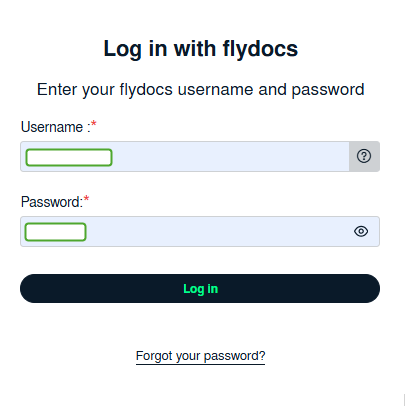 |
| 2. Hover over the Fleet Management tab. Hover over the Document Management Centre tab and Click on Manage Internal Documentation tab. | 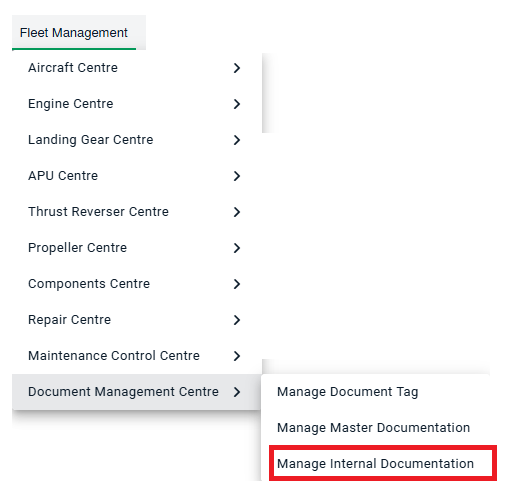 |
| 3. Select Client and other related details. |  |
| 4. Click on VIEW button. It will open Manage Internal Documentation page in a new window. |  |
| 5. Go to right side and Hover on REPORTS button and Click on Tab Report tab. It will open Tab Report in a new window. | 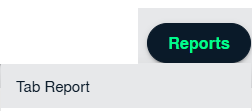 |
|
How do I export Tab Report? |
|
| 1. Login to your account using the username and password provided. | |
| 2. Hover over the Fleet Management tab. Hover over the Document Management Centre tab and Click on Manage Internal Documentation tab. | |
| 3. Select Client and other related details. | |
| 4. Click on VIEW button. It will open Manage Internal Documentation page in a new window. | |
| 5. Go to right side and Hover on REPORTS button and Click on Tab Report tab. It will open Tab Report in a new window. | |
| 6. Click on EXPORT TO EXCEL Button. It will save Excel file of Tab Report into your system. |  |
|
How do I view dashboard in Tab Report? |
|
| 1. Login to your account using the username and password provided. | |
| 2. Hover over the Fleet Management tab. Hover over the Document Management Centre tab and Click on Manage Internal Documentation tab. | |
| 3. Select Client and other related details. | |
| 4. Click on VIEW button. It will open Manage Internal Documentation page in a new window. | |
| 5. Go to right side and Hover on REPORTS button and Click on Tab Report tab. It will open Tab Report in a new window. | |
| 6. Click on VIEW DASHBOARD Button. It will show Dashboard Analytics. |  |