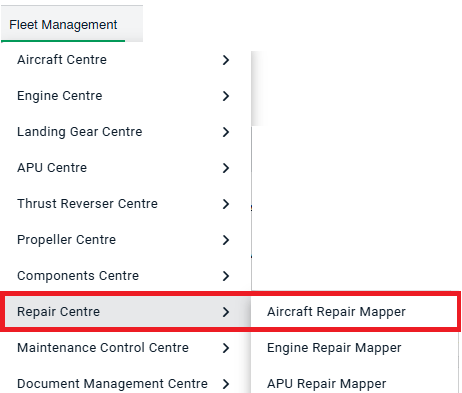
How do I select and use the repair type? How do I select and use the repair type? 1. Login to your account using the username and password provided. 2. Hover over the Fleet Management then Hover over the Repair Centre tab and Click on the Repair Mapper tab. 3. Now select clients from the dropdown, followed by the aircraft you require and input any other values. 4. Then click on Load.