
How do I select Multiple Folders to use document Functions?
| 1. Login to your account using the username and password provided. | |
| 2. Hover over the Fleet Management tab and Click on Aircraft Centre Tab. | 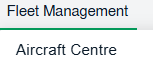 |
| 3. Select the Aircraft you would like to view by clicking on the row in the table. The row will become a highlight once selected. |  |
| 4. Hover over the Maintenance Status button and Click on the Maintenance History button. It will open a new window. | 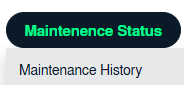 |
| 5. Select Year View, BOX View, MCC View, or Delivery Bible View. Note: When entering the Maintenance History page the folders will automatically be organized into the Year View. |
 |
| 6. Click on the respective view. It will load the respective view into the grid. | |
|
7. If you want to select multiple continue folders under a Box; Please, select the upper folder. |
 |
|
8. Now, �press the shift key and select the lower folder, it will select automatically all folders between including the upper and lower folder, which we have already selected. |
 |