
How do I view Open Folder of document in a Search Folder?
| 1. Login to your account using the username and password provided. | |
| 2. Click on the Fleet Management tab then Hover over the Document Management Centre tab and Click on Manage Master Documentation tab. |    |
| 3. Select Client and Other relevant details. It will load data into grid. |  |
| 4. Go to folder where you want to search document. In that row, Go to Search Column and Click on Search icon. It will open that folder in a new window. |  |
| 5. Go to Keyword or multiple keyword used for search particular document/documents. |  |
| 6. Search Options : Help to search with different options And / Or. & Select requiered field which you want. | 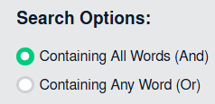 |
| 7. Click on SEARCH button. It will show you searched documents. |  |
| 8. Go to document and Click on Open Folder icon. It will open folder of that document in a new window. |  |